

Step 1
Open our app, and tap 'Payments' at the bottom of your screen.
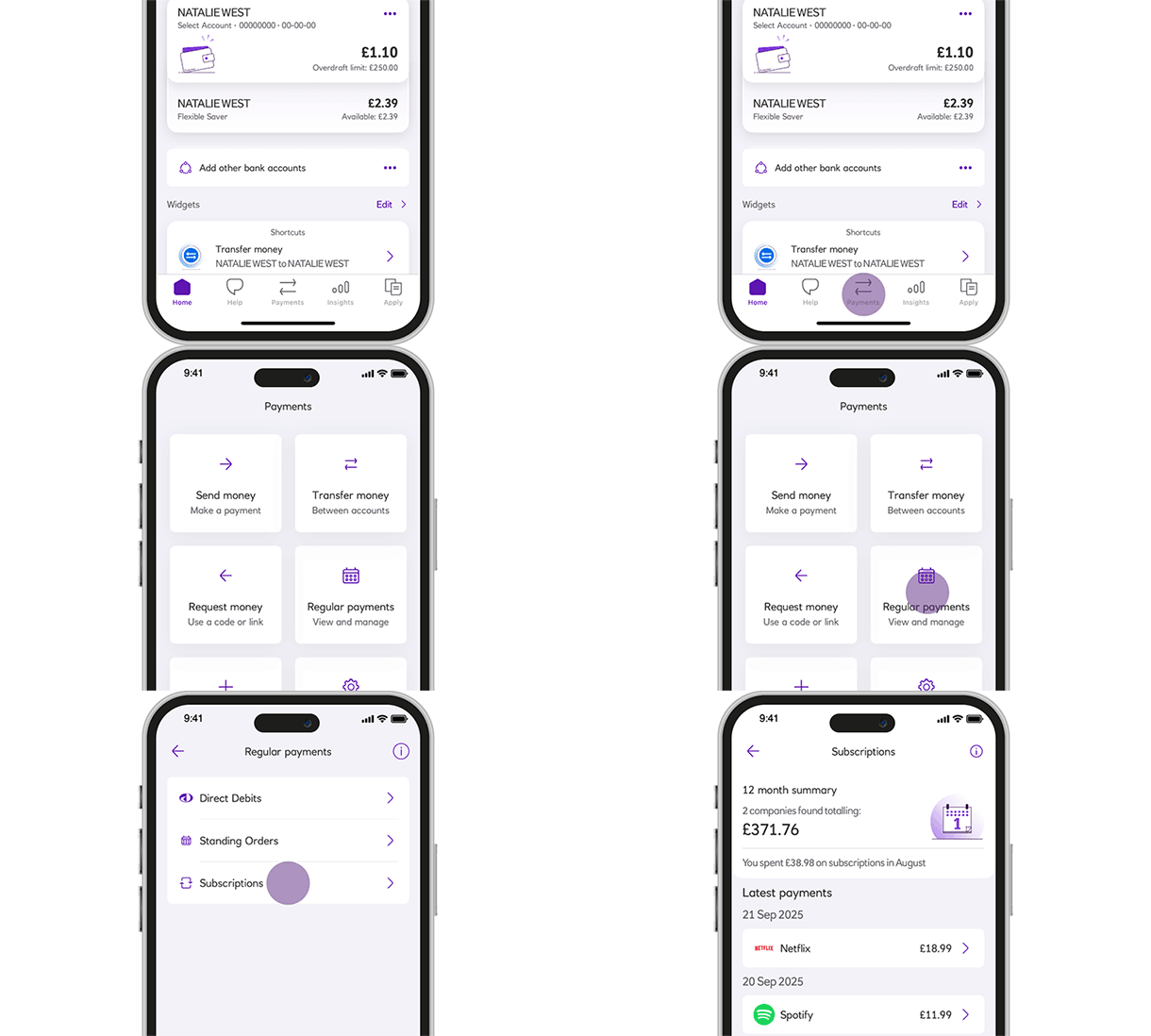
Our subscriptions feature in the mobile app is designed to help you keep on top of your subscriptions.
Available to mobile app only customers using compatible iOS and Android devices aged 11+ with a current account and an active debit card.
With a subscription, you give a business permission to regularly take money from your debit or credit card.
These recurring payments will be for a service or product from a company that you have signed up for e.g. streaming services with Amazon Prime or Netflix.
The amount taken can vary in frequency and value depending on your agreement with the company.
Companies you can view in Subscriptions
View the latest list of companies that we can show subscriptions for. If we have not been able to identify your payment as a subscription you will be able to see them in your transactions.
It may be time to cancel your subscription if:
It’s best to contact the company directly, where possible, to cancel a recurring card payment. It’s easy to cancel using our subscriptions feature to link, where available, to the company app or website. Follow our guide.
Remember, stopping a payment doesn't end your contract, and you will still need to pay what you owe. If you have a joint account, you can only stop payments you set up yourself.
Need help with fraud, scams or disputes click here and the bank can support you to stop payments.
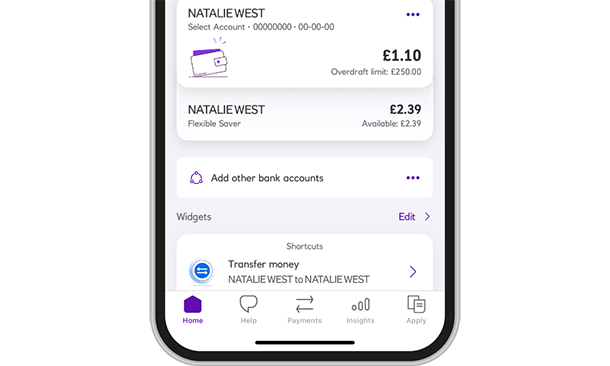
Open our app, and tap 'Payments' at the bottom of your screen.
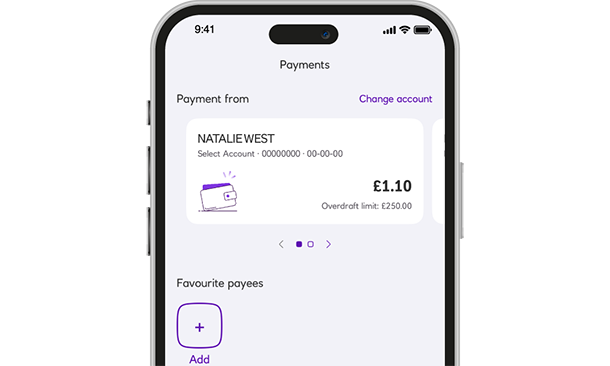
Swipe to choose the account your Subscription is paid from, and tap 'Regular payments'.
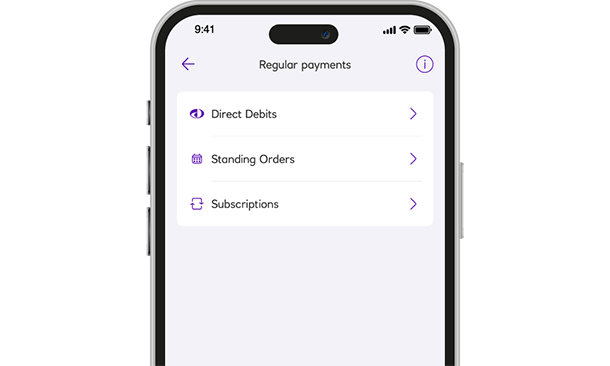
Tap 'Subscriptions'.
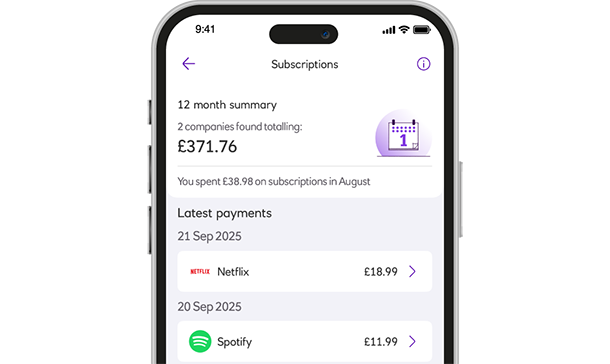
Choose a subscription company from the list shown.
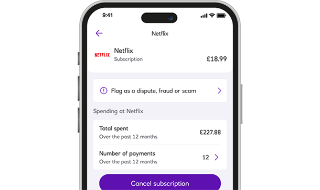
This screen shows:
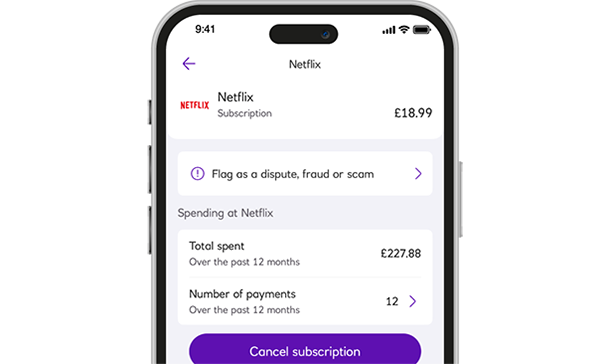
Tap 'Cancel subscription'.
If the 'Cancel subscription' option isn't there, visit the company's app or website directly.
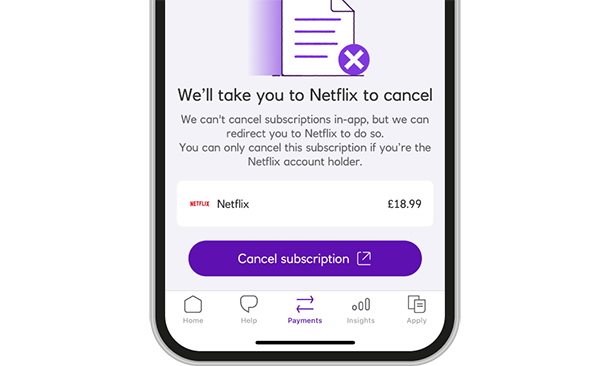
If we can, we'll take you to their app or website to cancel your subscription.
It's best to cancel with the company directly, where possible.
Need help with fraud, scams or disputes click here and the bank can support you to stop payments.
A key difference between these types of bills is who organises each payment.